Gives You Operational Control
Operations Dashboard Built for the Whole Team
An operations dashboard replaces the morning routine of checking five different tools with one screen. A business operations dashboard shows what's moving, what's stuck, and what needs a decision, updated as the day happens.
See BizCoorda in Action
Watch how a simple request turns into completed work using BizCoorda's operations dashboard.
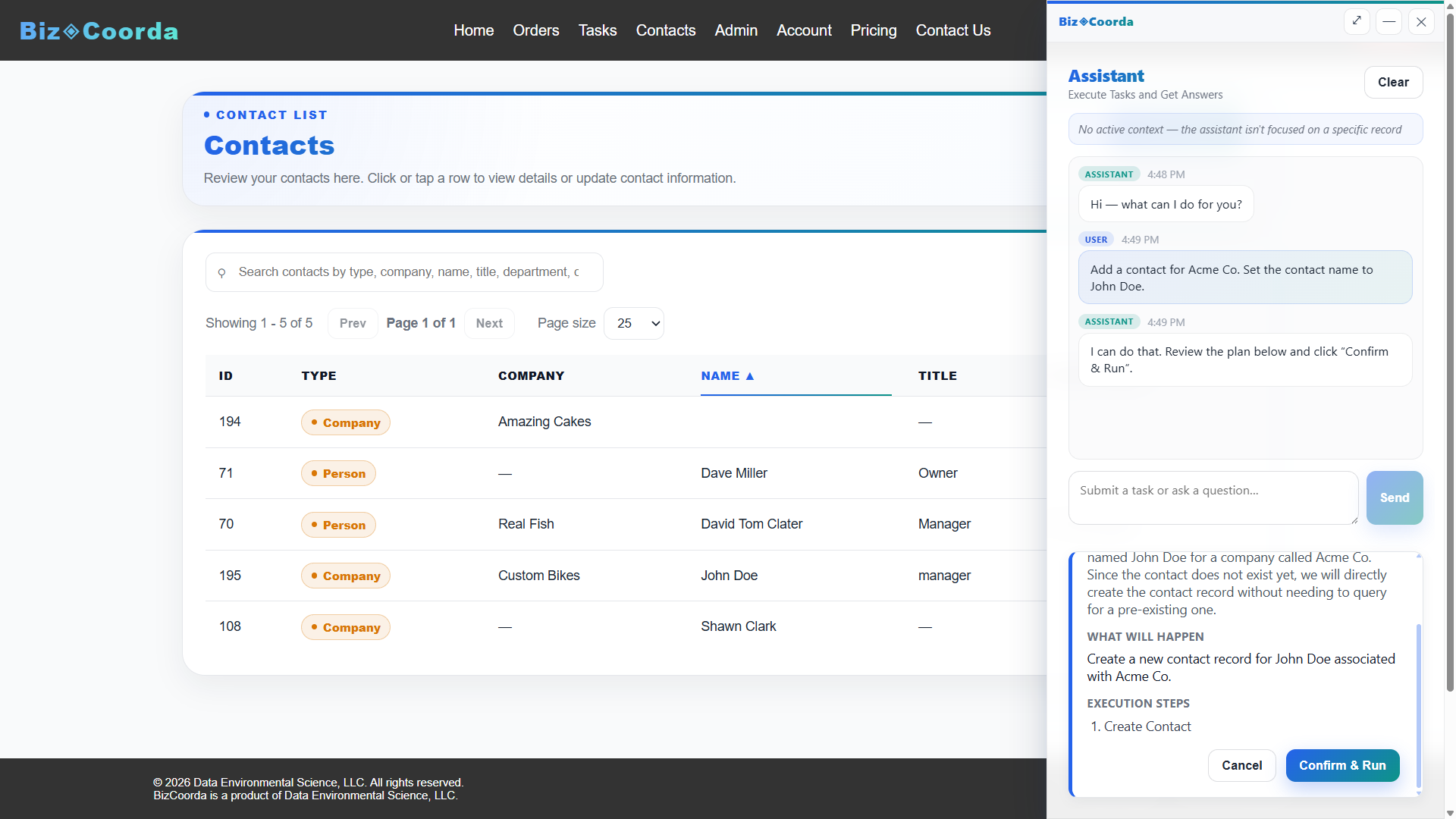
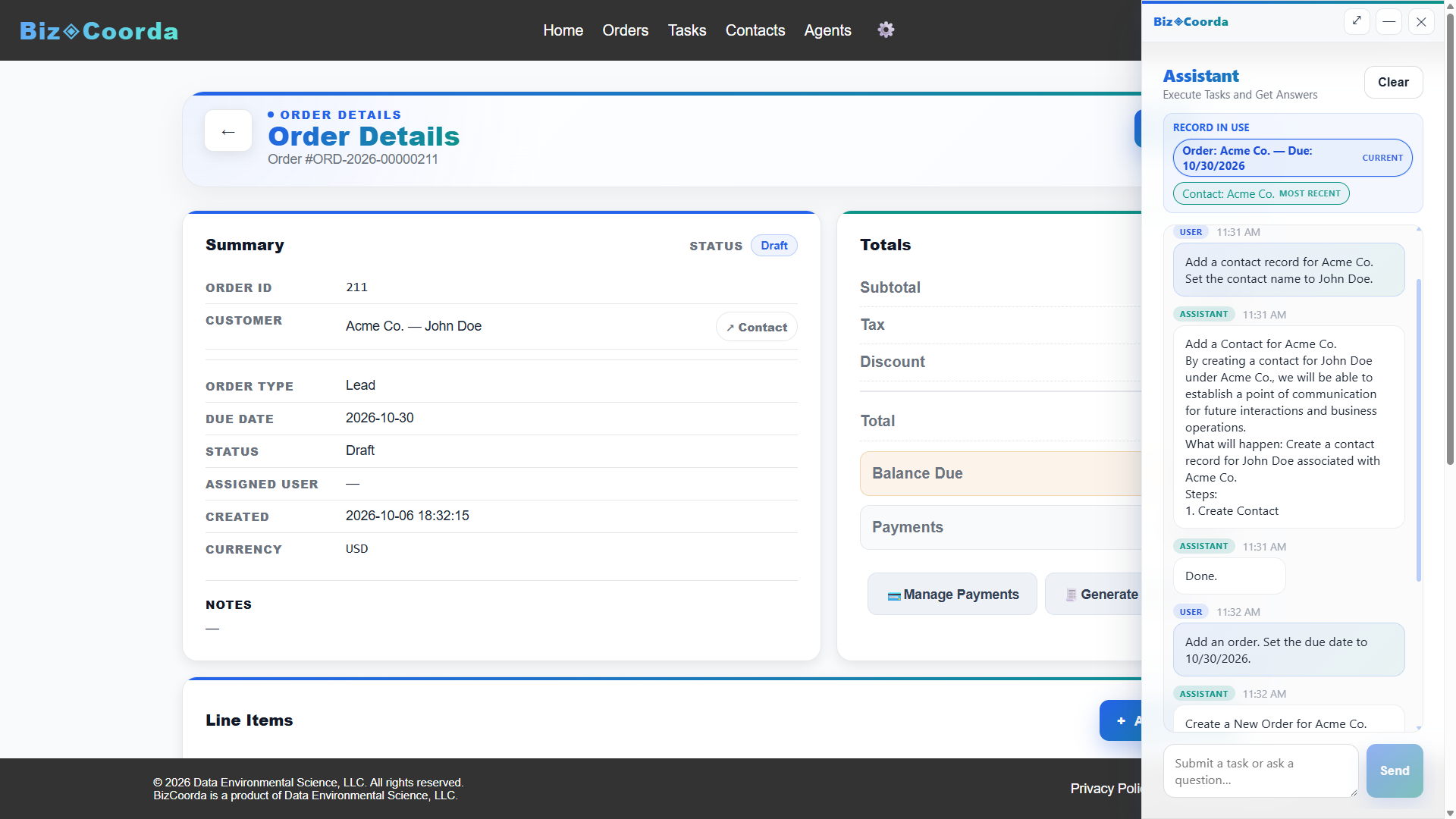
In this demo, BizCoorda's AI Assistant for Business understands a natural language request, creates a new contact record, and then creates a new order requested by the user—all through conversation. Rather than simply answering questions, the AI performs real business operations using AI Task Automation and AI Workflow Automation, turning a simple request into completed work.
The One Screen Everyone Checks
Without an operations dashboard, staying current means opening a spreadsheet, an inbox, and a couple of other tools just to answer "what's going on today."
An Operational Dashboard That Updates as Work Happens
An operational dashboard puts that answer in one place instead of opening a spreadsheet, an inbox, and a couple of other tools just to see what's going on today.
- ✓ An operational dashboard that updates as work happens, not on a schedule
- ✓ One current view instead of a stack of separate reports
- ✓ No manual refreshing to see the latest status
A Business Operations Dashboard for the Whole Team
A business operations dashboard isn't just for owners — it gives anyone on the team the same current view, so status updates don't depend on someone remembering to send an email.
What an Operations Dashboard Should Show
- ✓ An operations dashboard that replaces checking multiple tools each morning
- ✓ An operational dashboard that updates as work happens, not on a schedule
- ✓ A business operations dashboard the whole team can check, not just owners
- ✓ One current view instead of a stack of separate reports
How BizCoorda Builds Your Operations Dashboard
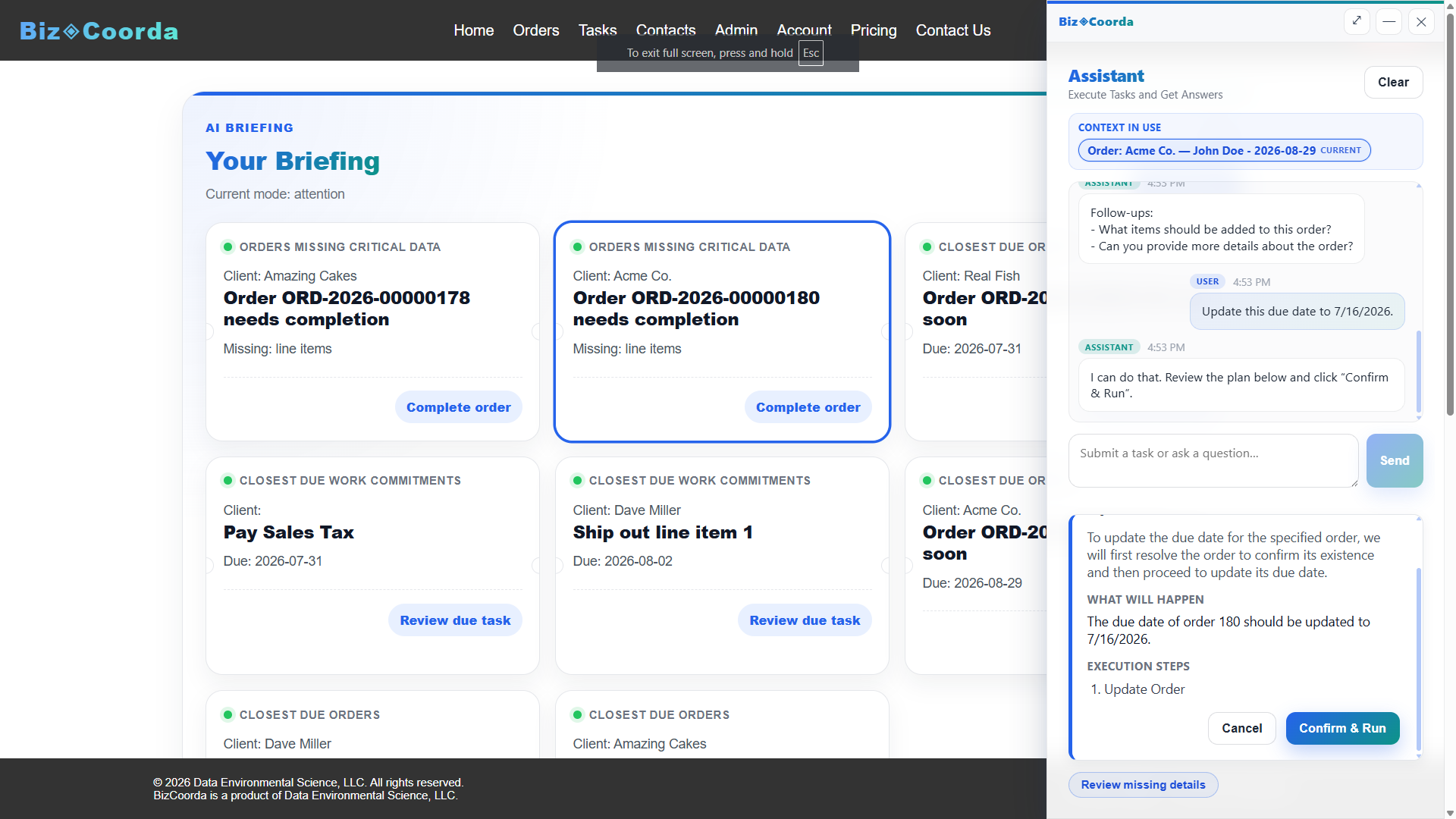
- Orders, tasks, and follow-ups update throughout the day
- The operational dashboard reflects those changes in real time
- The business operations dashboard rolls activity up for the whole team
- AI briefings highlight what needs a decision
- Everyone works from the same current view
Built for Businesses Coordinating Many Moving Parts
An operations dashboard matters most for businesses where orders, tasks, and follow-ups are moving across the day.
- ✓ Contractors
- ✓ Consultants
- ✓ Professional service businesses
- ✓ Custom manufacturers
- ✓ Service companies
- ✓ Growing small businesses
Frequently Asked Questions
What is an operations dashboard?
An operations dashboard replaces checking multiple tools each morning with one screen that shows what's moving, what's stuck, and what needs a decision.
What is an operational dashboard?
An operational dashboard updates as work happens, instead of on a fixed schedule, so the view is always current.
What is a business operations dashboard?
A business operations dashboard gives the whole team the same current view, not just business owners, so status doesn't depend on someone sending an update.
Check One Screen Instead of Five
BizCoorda's operations dashboard, operational dashboard, and business operations dashboard give your whole team one current view of the business.
Watch the Full BizCoorda Demo
Watch how a simple request turns into completed work using BizCoorda's action-taking AI.
This full demo combines all of our individual demonstrations into a single walkthrough, showing how Operational AI helps businesses coordinate and complete real work. You'll see BizCoorda create contacts and orders through natural language, manage tasks and follow-ups, adapt to custom workflows, provide daily AI briefings and Business Notifications, and give administrators complete Operational Control over AI actions.