Business Alerts
Business Alerts & Operational Visibility
See the problems before your customer does. BizCoorda's business alerts bring the quiet ones to the surface, like a task past its due date, an order that stopped moving, or a client still waiting on a call back, on your dashboard, on the order itself, or the moment you ask the assistant.
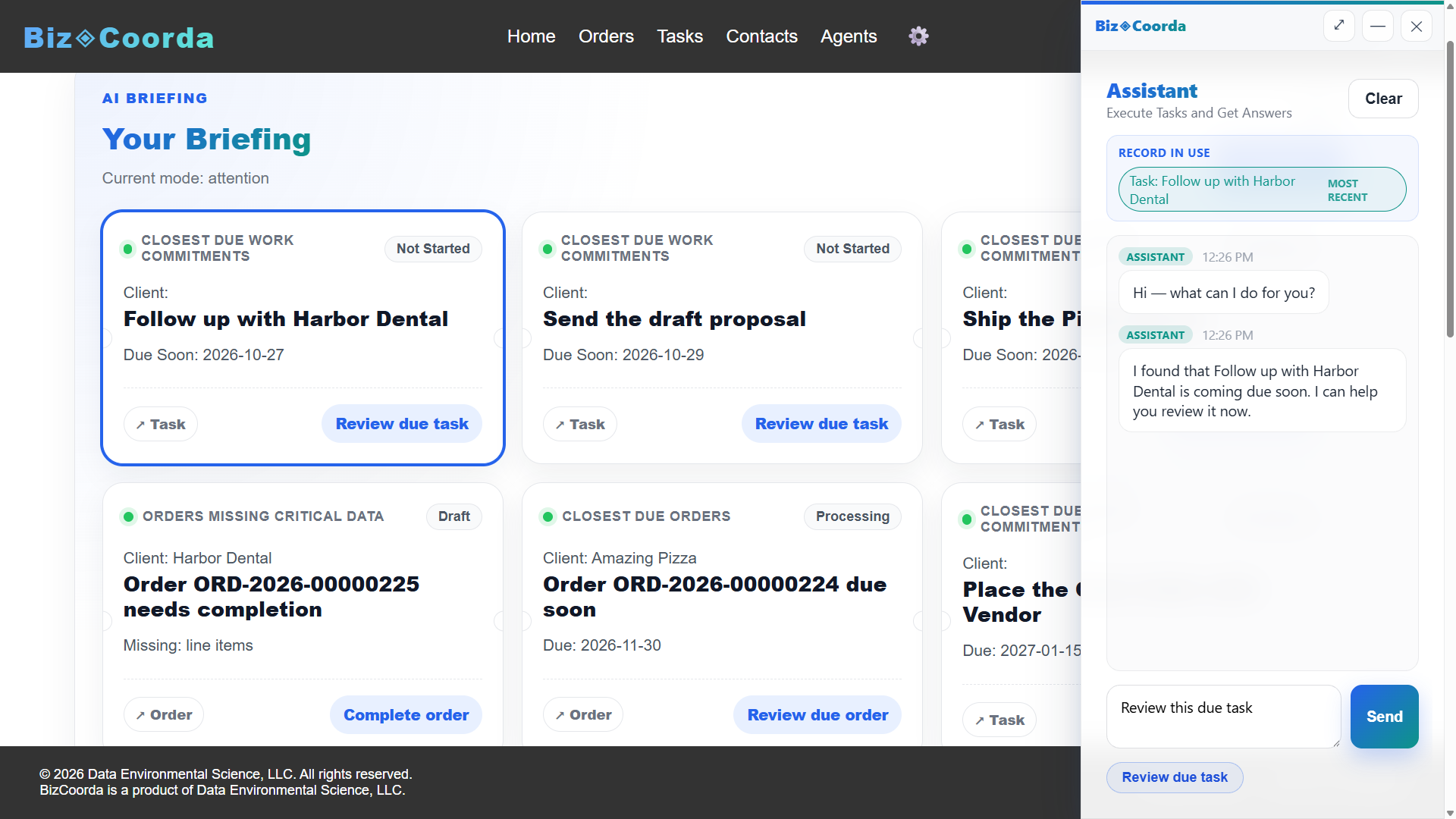
See BizCoorda in Action
Watch how BizCoorda surfaces the work that needs attention.
This demo shows how an AI Order Management system can streamline the process of creating and tracking orders, ensuring that every step of the workflow is captured and accessible.
What Business Alerts Look Like
Good alerts are specific. They name the client, the order, and what's wrong, so you can act without digging.
Due Dates and Overdue Tasks
“Send the Harbor Dental proposal” is due tomorrow. “Ship the Pizza Slicers” is two days overdue. Tasks are flagged as they approach their due date and again once they pass it.
Orders That Stop Moving
An order that's been sitting at the same stage is often waiting on someone. Because tasks live on the order in BizCoorda's order management, the alert shows which piece of work is holding it up.
Follow-Ups Waiting on You
A promised call back that's now due shows up next to the client and order it belongs to, so you know what to say before you pick up the phone.
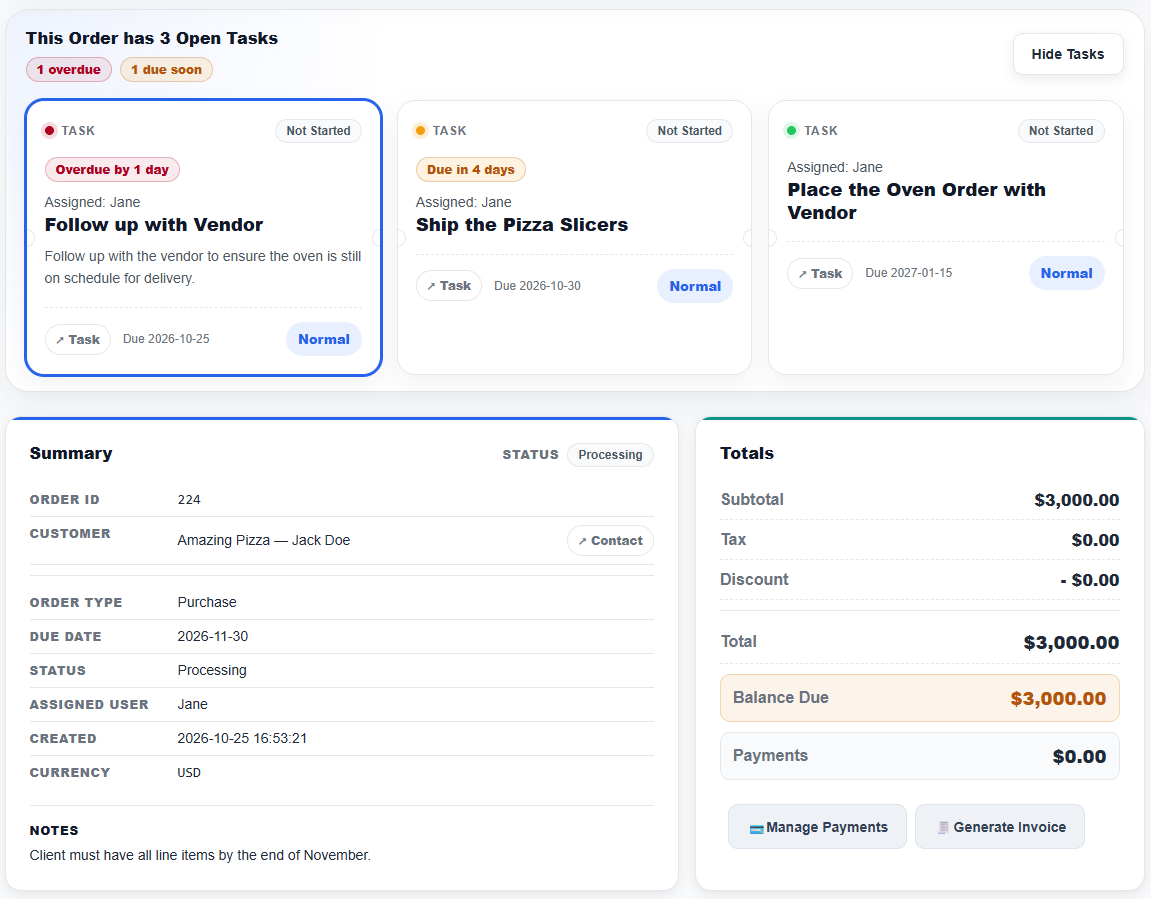
Operational Visibility Without Checking Every System
The goal of operational visibility isn't more notifications. If everything alerts, nothing stands out. The useful version is a short list of what needs a decision today, and nothing else.
In BizCoorda, alerts show up where you already work: as tickets in the dashboard briefing, as due-date flags on the order page, or as an answer when you ask the assistant, “What needs my attention today?” Nothing is emailed or texted to you or your clients.
Each briefing ticket links straight to the order or task behind it, with a suggested next step, so acting on it takes a click instead of a search. It works because orders, tasks, and follow-ups already live together in one business operations platform, rather than in separate tools that can't see each other.
Frequently Asked Questions
What's the best way to track tasks per job and remind both the team and the client?
Attach tasks to the job instead of keeping them in a separate list, then let due dates drive the reminders. In BizCoorda, tasks and follow-ups live on the order and can be assigned to team members. Tasks that are due soon or overdue are flagged on the order and in the dashboard briefing, and client check-ins appear as follow-ups on the same order. BizCoorda doesn't message clients automatically; it shows your team when it's time to reach out.
What software links order-specific tasks with customer follow-ups and due-date alerts?
BizCoorda connects tasks, follow-ups, and due dates to the order they belong to. When a task approaches its due date or becomes overdue, it's flagged on the order and surfaced as a ticket in the dashboard briefing alongside any customer follow-ups that are due. You can also ask the AI Business Assistant what needs attention.
What are business alerts?
Business alerts point out work that needs a decision, such as an overdue task, an order that has stopped moving, or a follow-up that's due, instead of routine status updates. Useful alerts are specific enough to act on immediately.
What is operational visibility?
Operational visibility means seeing what needs attention across your orders, tasks, and follow-ups without manually checking every system. In BizCoorda, it comes from a dashboard briefing, due-date flags on each order, and an assistant you can ask, all built on records that already live together.
See What Needs Attention Before Your Customer Does
Start with your open orders. Your dashboard briefing will show you what's due, what's overdue, and what's been waiting.
Watch the Full BizCoorda Demo
Watch how a simple request turns into completed work using BizCoorda's action-taking AI.
This full demo combines all of our individual demonstrations into a single walkthrough, showing how Operational AI helps businesses coordinate and complete real work. You'll see BizCoorda create contacts and orders through natural language, manage tasks and follow-ups, adapt to custom workflows, provide daily AI briefings and Business Notifications, and give administrators complete Operational Control over AI actions.