Follow-Up Software
Follow-Up Software: Never Miss a Follow-Up
Capture every follow-up the moment you promise it. Most aren't forgotten on purpose; they're promised on a call and never written down. With BizCoorda's follow-up software, you just say it, and it's tied to the client, order, or task it belongs to:
“Remind me to call Acme Pizza on Monday about the Pizza Slicer delivery.”
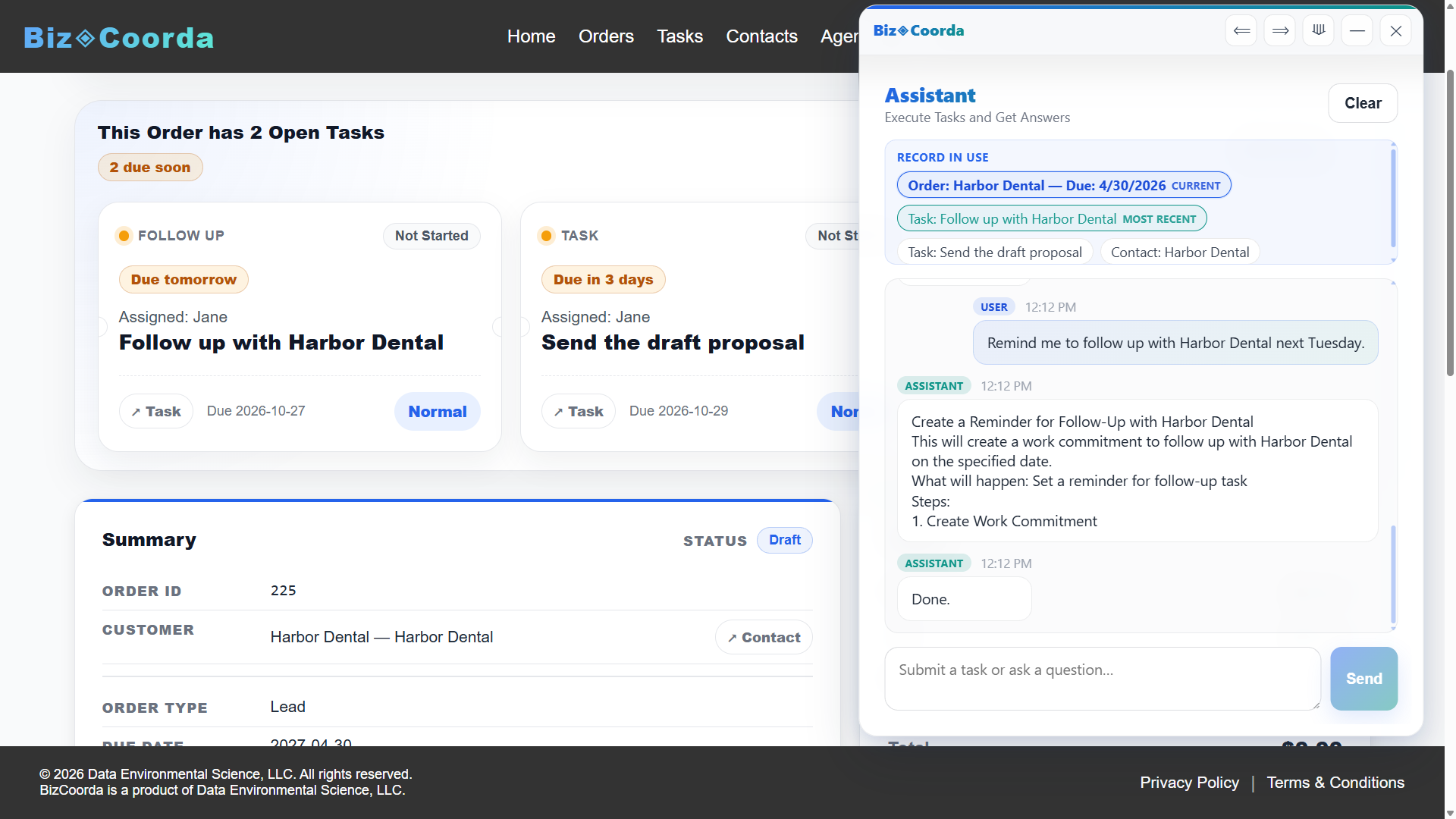
“Create a follow-up for Harbor Dental: check in on the proposal next Tuesday.”
Each follow-up lands on the right record. When it comes due, it shows up as a ticket in your dashboard briefing and on the order itself, so the commitment is waiting for you instead of the other way around.
See BizCoorda in Action
Watch how a simple request turns into a tracked follow-up.
This demo shows how an AI Order Management system can streamline the process of creating and tracking orders, ensuring that every step of the workflow is captured and accessible.
Why Follow-Ups Slip
Follow-ups are easy to promise and easy to lose. A commitment made on a call has nowhere to live until someone writes it on a sticky note, a calendar, or a to-do list that isn't connected to anything.
By the time a missed follow-up gets noticed, it's usually overdue, and the customer has noticed too.
The Two Follow-Ups New Business Owners Overlook
When most people think about follow-ups, they think about chasing a sale. But some of the most valuable follow-ups happen after the order is placed, and they're the ones new business owners tend to skip.
Follow Up With Vendors Before There's a Problem
Say you've promised Acme Pizza their order by the 28th. To make that date, your materials need to arrive by the 20th. If the first time you check on that shipment is the 20th, and it's late, you've run out of options.
Check a week earlier and the same delay becomes manageable. You can find another supplier, adjust the schedule, or let your customer know while there's still time to plan around it.
Your delivery promise is only as reliable as the suppliers behind it. A short call ahead of time is how you protect it:
“Remind me to confirm the material shipment with Ridgeline Supply on March 13 for the Acme Pizza order.”
Follow Up With Customers Before They Have to Ask
Customers don't mind waiting nearly as much as they mind not knowing.
A quick update, like “your order is on schedule and ships Thursday,” takes a minute to send. To the customer, it says someone is paying attention to their order.
The same is true of bad news. A delay you mention early, with a new date, comes across as being in control. The same delay discovered by the customer comes across as being caught off guard. Reliability is built in these small moments, and it's a big part of what brings customers back and gets you referred.
“Create a follow-up to update Acme Pizza on their order status this Friday.”
The two work together. The vendor check gives you something concrete to tell the customer, and the customer update is where that early warning pays off.
If you build just one habit, make it this one:
Every quote, proposal, and delivery gets a follow-up the same day it goes out.
Follow-Up Tracking Tied to the Work
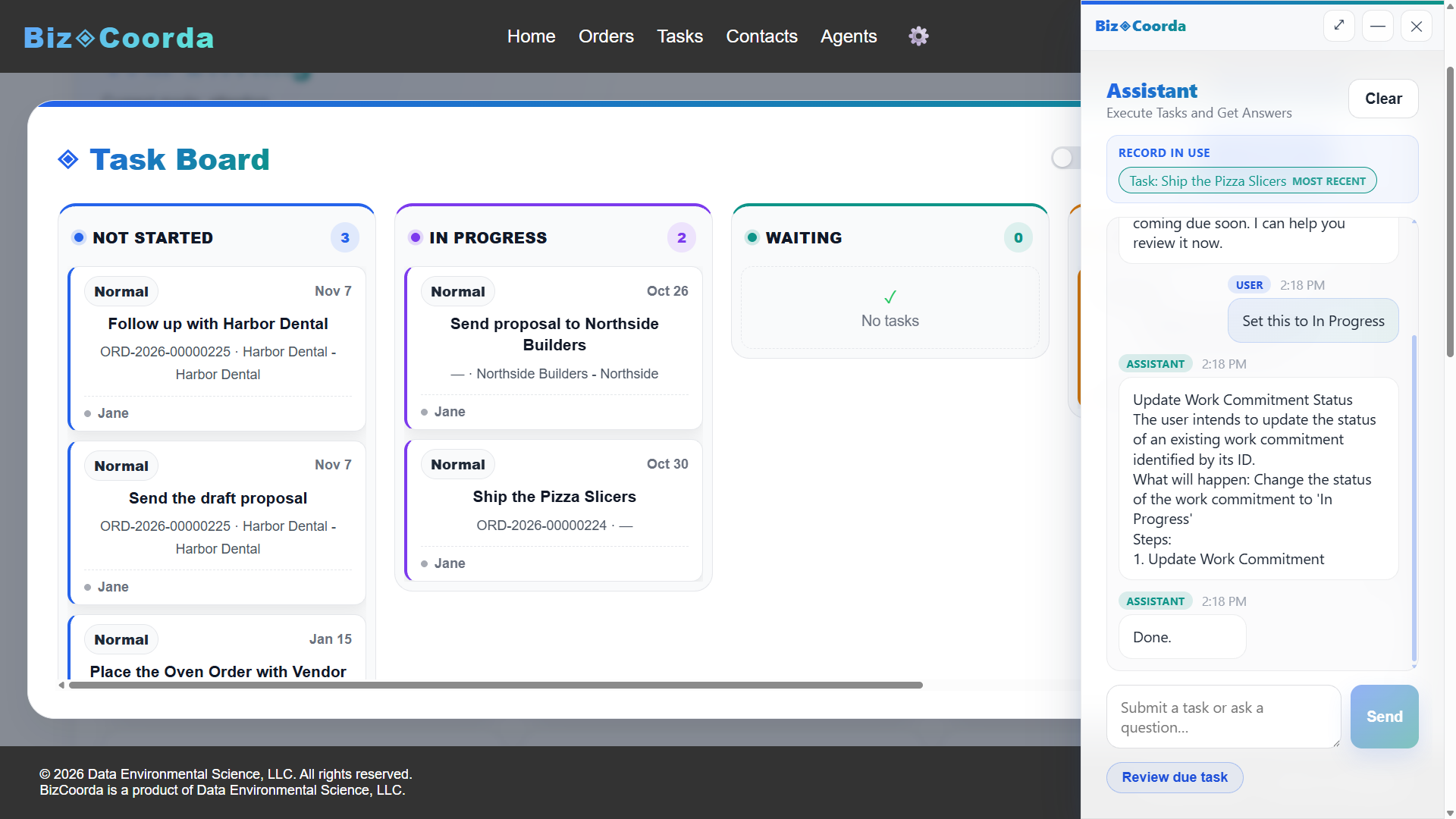
A reminder on its own only tells you to call someone. A follow-up attached to the order tells you why: what was quoted, what's outstanding, and what you promised last time.
In BizCoorda, follow-ups live on the contact, order, or task they came from. When it's time to reach out, the context is already there.
Follow-Up Templates for Consultants and Custom Job Shops
Two more situations worth a follow-up every time. Change the names and dates and use them as-is.
Consultants
“Create a follow-up to check in with Harbor Dental two weeks after the website launch.”
Custom Job Shops
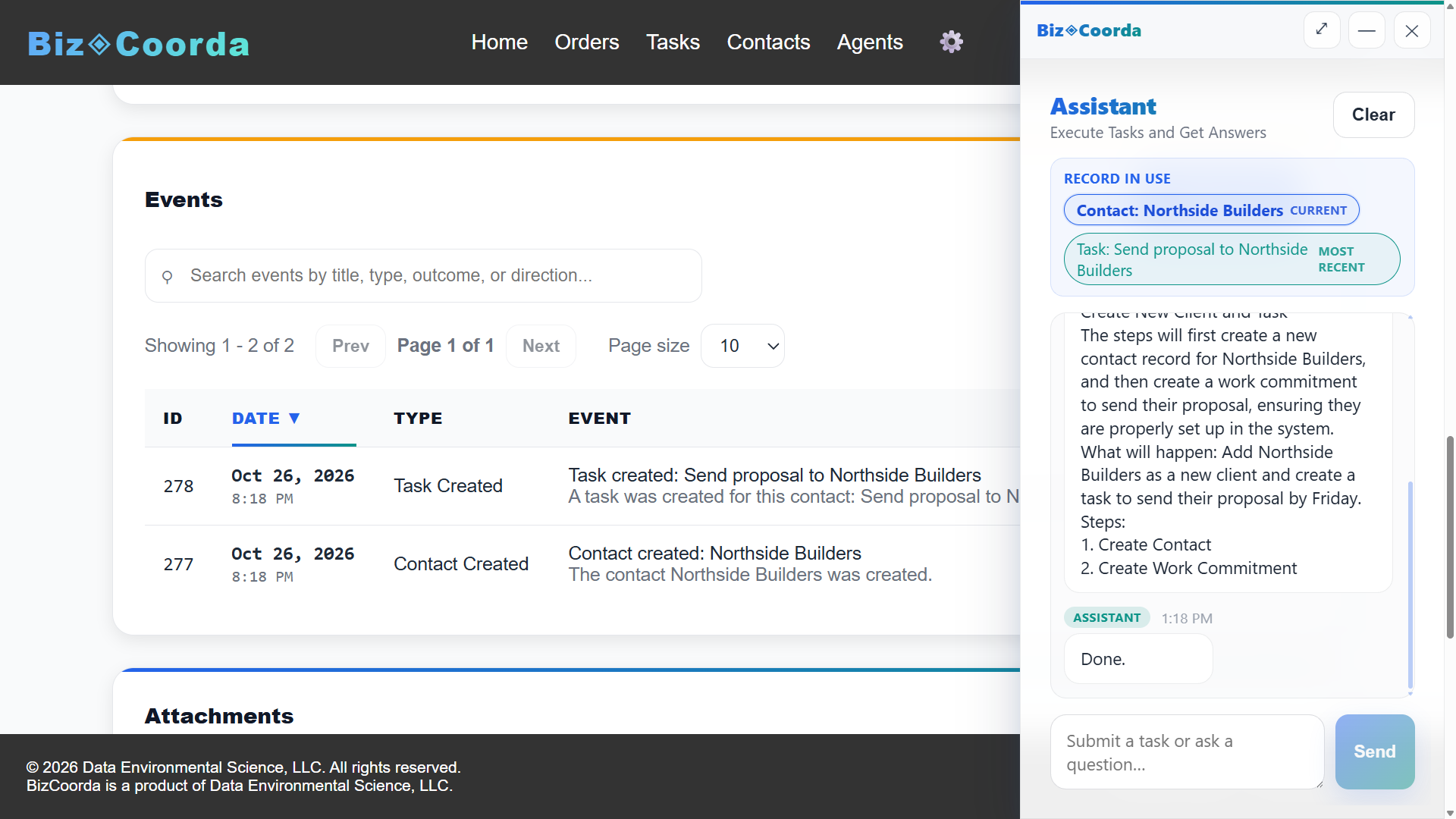
“Remind me to follow up on the Northside Builders quote on Thursday.”
Frequently Asked Questions
What's the best way to track tasks per job and remind both the team and the client?
Keep tasks and follow-ups attached to the job itself instead of a separate to-do list. In BizCoorda, each order holds its own tasks and follow-ups, and tasks can be assigned to team members. The dashboard briefing shows the team what's due and overdue, and client check-ins are tracked as follow-ups on the same order. BizCoorda doesn't message clients automatically; it makes sure the right person on your team knows when to reach out.
What software links order-specific tasks with customer follow-ups and due-date alerts?
BizCoorda links tasks and follow-ups directly to the order they belong to. The AI Business Assistant can create a follow-up from a single plain-language request, and tasks that are due soon or overdue are flagged on the order and in the dashboard briefing, so order work and customer follow-ups stay in one place.
What is follow-up software?
Follow-up software captures a customer commitment, such as a promised call, a quote check-in, or a delivery confirmation, the moment it's made and keeps it visible until it's done, instead of relying on memory or sticky notes.
How does AI help with follow-ups?
With BizCoorda, you can create a follow-up by describing it in plain language, like "remind me to call Acme Pizza Monday." The AI Business Assistant records it on the right contact or order, and it appears in your dashboard briefing when it's due. You can also ask the assistant what follow-ups are coming up.
Never Miss a Follow-Up
Start with the next quote or proposal you send. Give it a follow-up the same day, and it'll be waiting in your briefing when it's due.
Watch the Full BizCoorda Demo
Watch how a simple request turns into completed work using BizCoorda's action-taking AI.
This full demo combines all of our individual demonstrations into a single walkthrough, showing how Operational AI helps businesses coordinate and complete real work. You'll see BizCoorda create contacts and orders through natural language, manage tasks and follow-ups, adapt to custom workflows, provide daily AI briefings and Business Notifications, and give administrators complete Operational Control over AI actions.