Contact Management
Contact Management Software Connected to the Work
Know where things stand with every customer before you say hello. BizCoorda keeps each customer's details, conversations, orders, and follow-ups on one record, and keeping it current takes one sentence to the AI Business Assistant:
“Create a contact for Acme Pizza. The owner is Jane Doe, her email is pizza@test.com.”
“Add Acme Pizza's delivery address: 120 Main Street.”
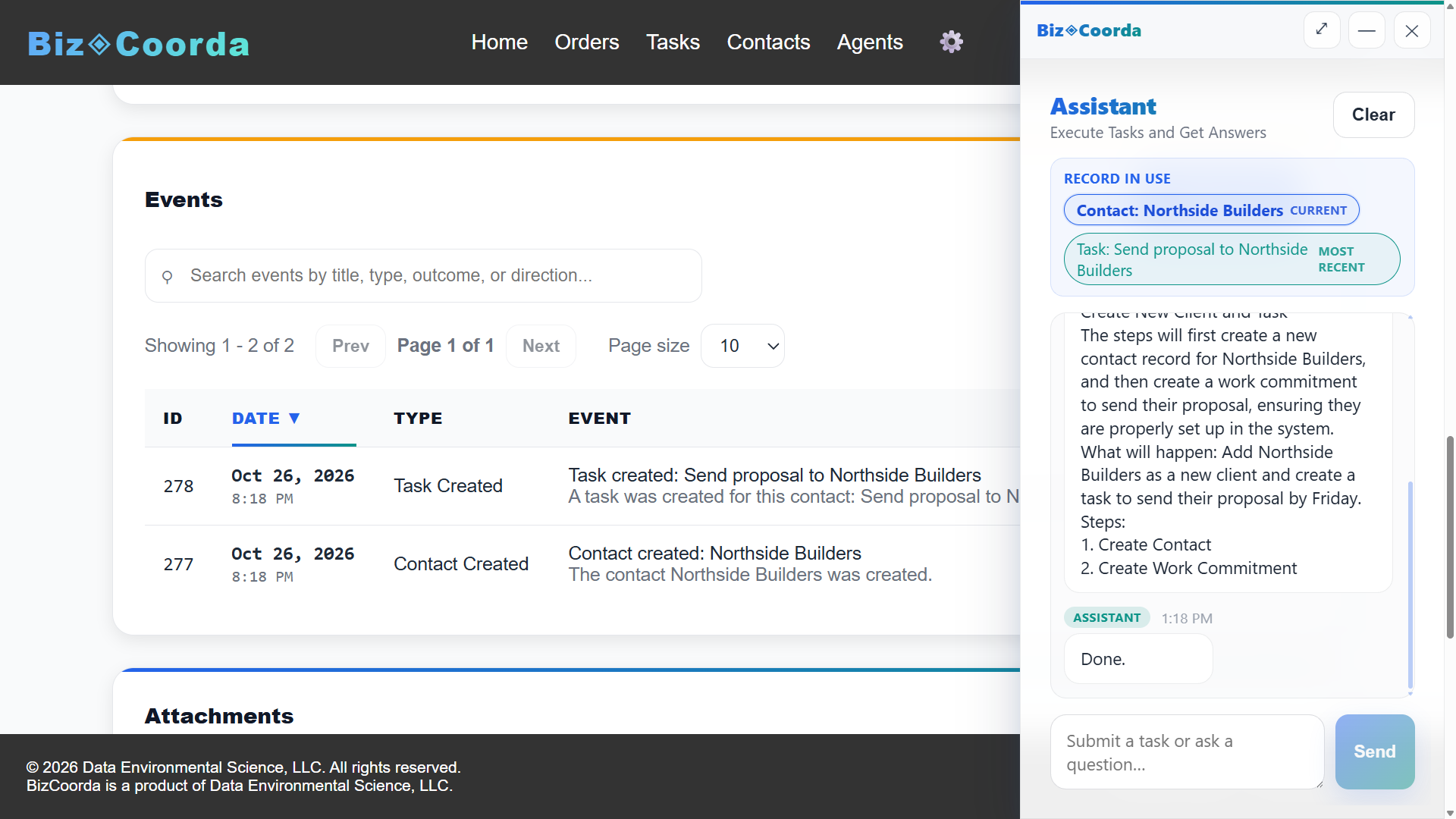
“Log a call with Acme Pizza: they want a quote for pizza slicers. Remind me to send it Friday.”
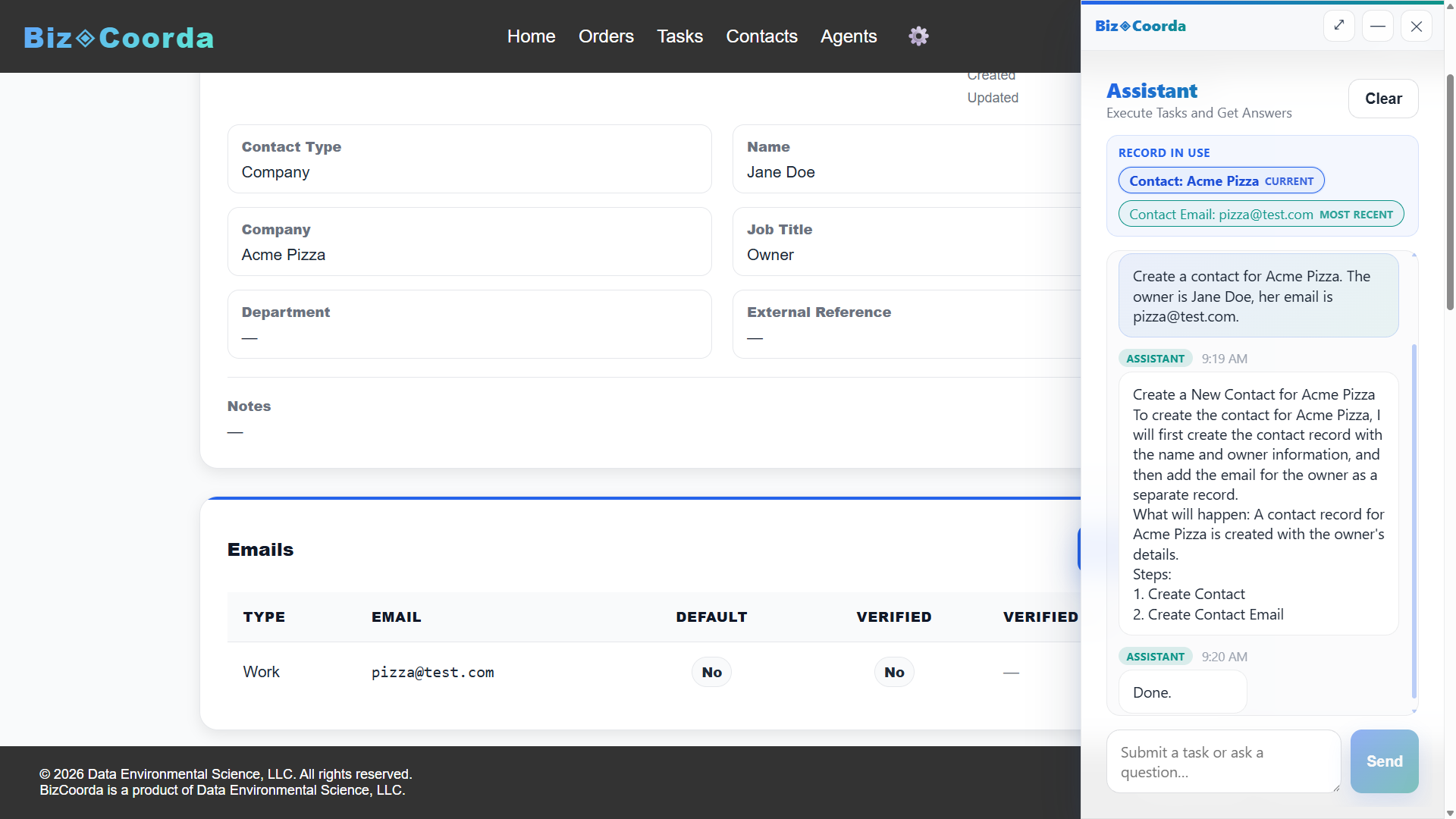
Each request lands where it belongs: the new details on Acme Pizza's record, the call on their timeline, and the Friday reminder in your dashboard briefing when it's due.
See BizCoorda in Action
See how a plain-language request becomes a contact record connected to the rest of the business.
In this demo, you'll see how contact events capture important customer activity—such as calls, emails, meetings, notes, and follow-ups—so everyone has the context they need.
A Name and a Phone Number Isn't the Whole Story
Most contact management software does a fine job of storing names, email addresses, and phone numbers.
But when a customer calls with a question, the contact card rarely has the answer. What did they order? What was promised? Is anyone supposed to be following up?
Those details tend to live in an inbox, an order system, a notebook, or someone's memory. So answering a simple question turns into a search.
BizCoorda is built around a different idea: keep the contact and the work connected, so the answer is already in one place.
Customer Management Software With the Full Relationship in View
When a potential customer decides to move forward, there's a quote to prepare, details to confirm, tasks to complete, and follow-ups to schedule. In BizCoorda, contacts are connected to orders, tasks, and follow-ups, so that activity stays tied to the right customer and anyone on your team can see the relationship in one place.
A name and an email address are enough to start. The record grows as the relationship does.
Multiple Ways to Reach Someone
Contacts can have multiple email addresses, phone numbers, and mailing or delivery addresses.
Notes, Calls, and Meetings
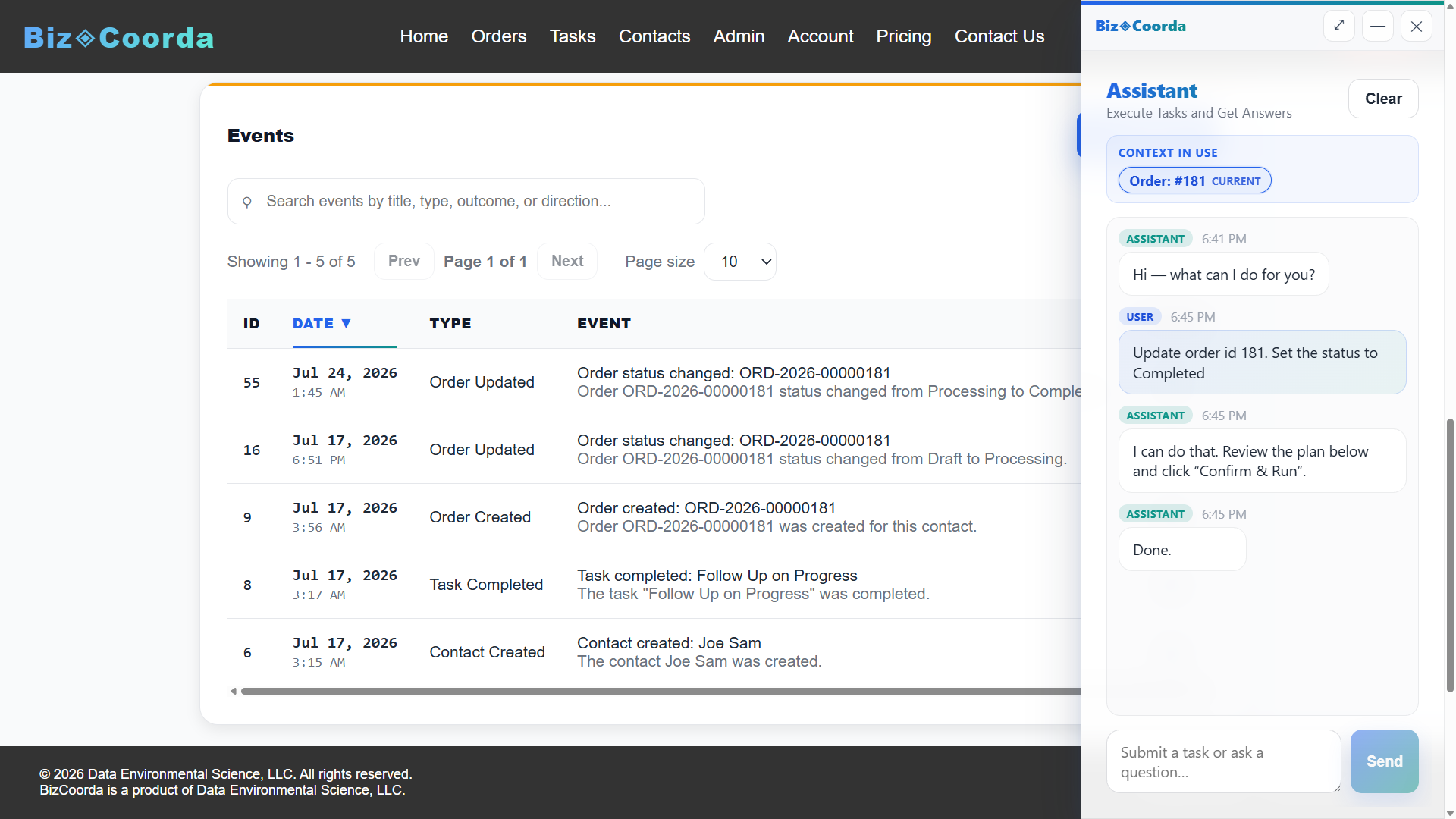
Contact events record what was discussed, when it happened, and what comes next, so context isn't lost between conversations.
A History of Changes
BizCoorda's activity ledger records what changed, how the change was made, and who initiated it, whether the update came from a person or the AI assistant.
Learn more about CRM versus business operations software and where a traditional CRM stops.
AI Contact Management Without the Data Entry
Creating a contact record isn't hard. Doing it consistently, in the middle of a busy day, is another matter. Details sit in a text message or on a scrap of paper until "later," and sometimes later never comes.
AI contact management makes that step easier. Instead of opening a form and filling in fields, you can tell the AI Business Assistant what you know:
“Jane at Acme Pizza has a new phone number: 555-0142.”
“Add a note to Acme Pizza: they're opening a second location in the spring.”
The assistant updates the record for you. Changes appear on the contact just as if you'd entered them yourself.
You can still enter and edit everything manually. AI is simply another, often faster, way to keep records current.
Tip: End Every Note With a Next Step
A contact record is only as useful as the notes on it. The simplest habit that keeps notes useful: before you close out a call, write down what happens next and when.
The first tells you a conversation happened. The second tells anyone on your team what to do, even if you're out that day.
For more habits that keep contact information useful, read The Overlooked Foundation: Contact Records.
Built for Businesses Managing Many Relationships
Contact management matters most when every customer comes with their own requirements, orders, and conversations.
Contractors, consultants, professional service firms, custom manufacturers, service companies, and growing small businesses all deal with work that doesn't fit a rigid template. Keeping customer information connected to that work makes it easier to coordinate as the number of customers grows.
If all you need is an address book, your email or phone contacts may be enough. BizCoorda is built for customers who come with orders to fill, work to complete, and follow-ups to keep track of.
Frequently Asked Questions About Contact Management Software
What is the difference between contact management and a CRM?
Contact management focuses on keeping customer details organized: names, email addresses, phone numbers, and notes. A CRM typically adds sales pipelines and deal tracking. BizCoorda connects contact records to the orders, tasks, and follow-ups that come after the sale, so the full customer relationship and the work behind it stay in one place.
How does AI contact management work?
With BizCoorda, you describe what you know in plain language, such as a new customer's name and email, an updated phone number, or a note from a call. The AI Business Assistant creates or updates the contact record for you, so details are captured without opening forms and filling in fields.
Can I see a customer's orders and tasks from their contact record?
Yes. In BizCoorda, orders, tasks, and follow-ups stay connected to the contact they belong to. When a customer calls, you can see what they have ordered, what was agreed, and what is still open without searching through separate systems.
What should a small business look for in contact management software?
Look for software that makes it easy to capture contact details quickly, keep notes and conversation history with each customer, and connect customers to the work you do for them. For businesses handling custom orders or services, having orders, tasks, and follow-ups tied to each contact makes everyday coordination much easier.
Keep Every Relationship Connected to the Work
BizCoorda brings contact management, customer management, and an AI assistant together so customer information stays current and connected to everything that follows.
Watch the Full BizCoorda Demo
See how BizCoorda connects AI assistance with contacts, orders, tasks, and the rest of daily business operations.
This full demo combines all of our individual demonstrations into a single walkthrough, showing how Operational AI helps businesses coordinate and complete real work. You'll see BizCoorda create contacts and orders through natural language, manage tasks and follow-ups, adapt to custom workflows, provide daily AI briefings and Business Notifications, and give administrators complete Operational Control over AI actions.