Resources
CRM vs Business Operations Software
A CRM tracks a customer until they say yes. Business operations software tracks everything that happens next: every order, task, payment, and follow-up, on the same customer record. So when a customer asks "where do things stand?", the answer is already in one place.
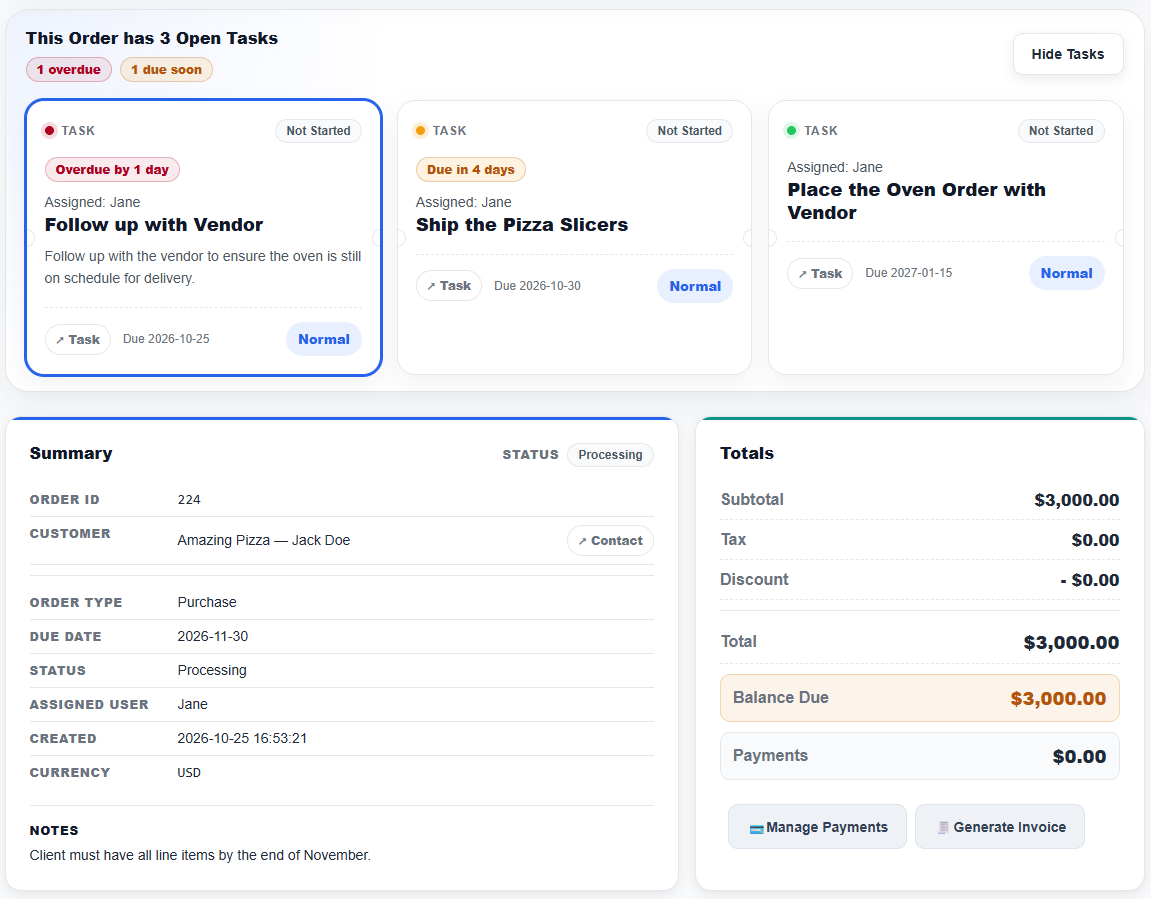
See BizCoorda in Action
See how a customer record stays connected to the orders, tasks, and follow-ups that come after the sale.
This demo shows how an AI Order Management system can streamline the process of creating and tracking orders, ensuring that every step of the workflow is captured and accessible.
What a CRM Covers, and Where It Stops
A CRM is built to win customers. It tracks contacts, deals, pipeline stages, and communication history, and it does that well.
But most CRMs stop once the deal closes. The order, the work to fulfill it, the payments, and the follow-ups get pushed into spreadsheets, inboxes, and task boards that no longer connect back to the customer record.
What a Business Operations Platform Adds
A business operations platform starts with the same CRM essentials: contacts, leads, notes, and call history. Then it keeps going, connecting the customer to the order, the tasks behind it, and the follow-ups in one record, so the sale and the work that follows never have to be stitched back together.
When a customer calls asking where things stand, the answer is on one screen instead of spread across three tools.
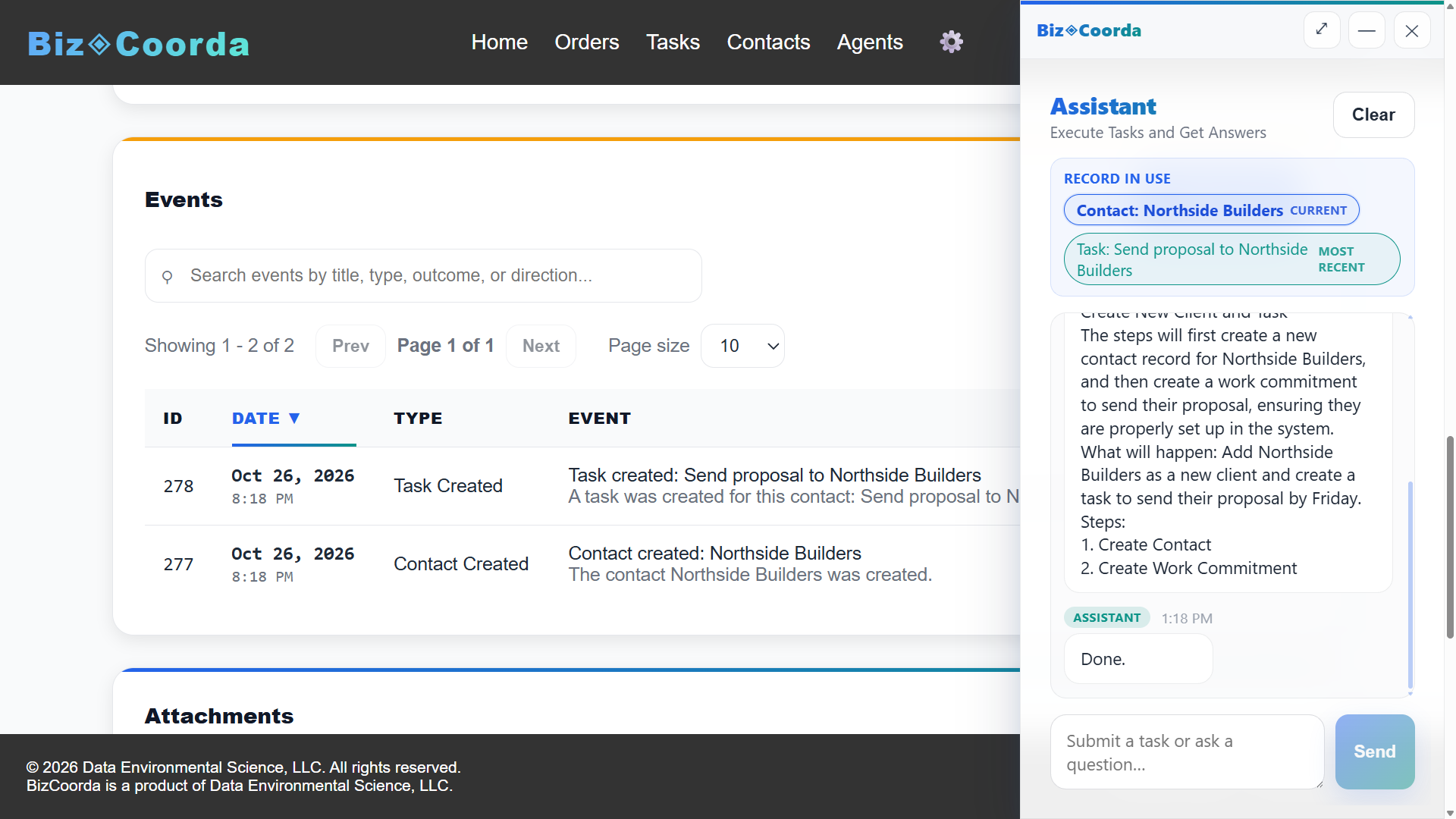
CRM vs Business Operations Software, Side by Side
| CRM | Business Operations Software | |
|---|---|---|
| Built to | Win the customer | Win the customer and deliver for them |
| Contacts, notes, and call history | Yes | Yes, included |
| Center of the record | The deal and its stage | The customer and the work in progress |
| Orders and line items | Rarely, or through an add-on | Built in, tied to the customer |
| Tasks | Sales activities and reminders | The work behind each order, plus standalone tasks |
| Payments | Usually in a separate system | Tracked on the order |
| After the deal closes | The record mostly stops changing | The record keeps working |
Choosing Between a CRM and a Business Operations Platform
Because a business operations platform includes the CRM essentials, the choice is less either-or than it looks. So why pay for software that stops at the sale? Even if contacts and notes are all you need today, you get them, and orders, tasks, and follow-ups are already there the day a customer says yes, with no second system to buy or switch to.
That matters most when every yes turns into an order with its own details, work to schedule, and customers to follow up with, which is common for contractors, service businesses, custom manufacturers, and small B2B teams. A dedicated CRM still earns its place if you run a large sales team with long sales cycles and need pipeline forecasting.
A quick way to tell: pick one active customer and try to answer "where do things stand?" If it takes more than one app, or a question to a coworker, the gap is after the sale, not before it.
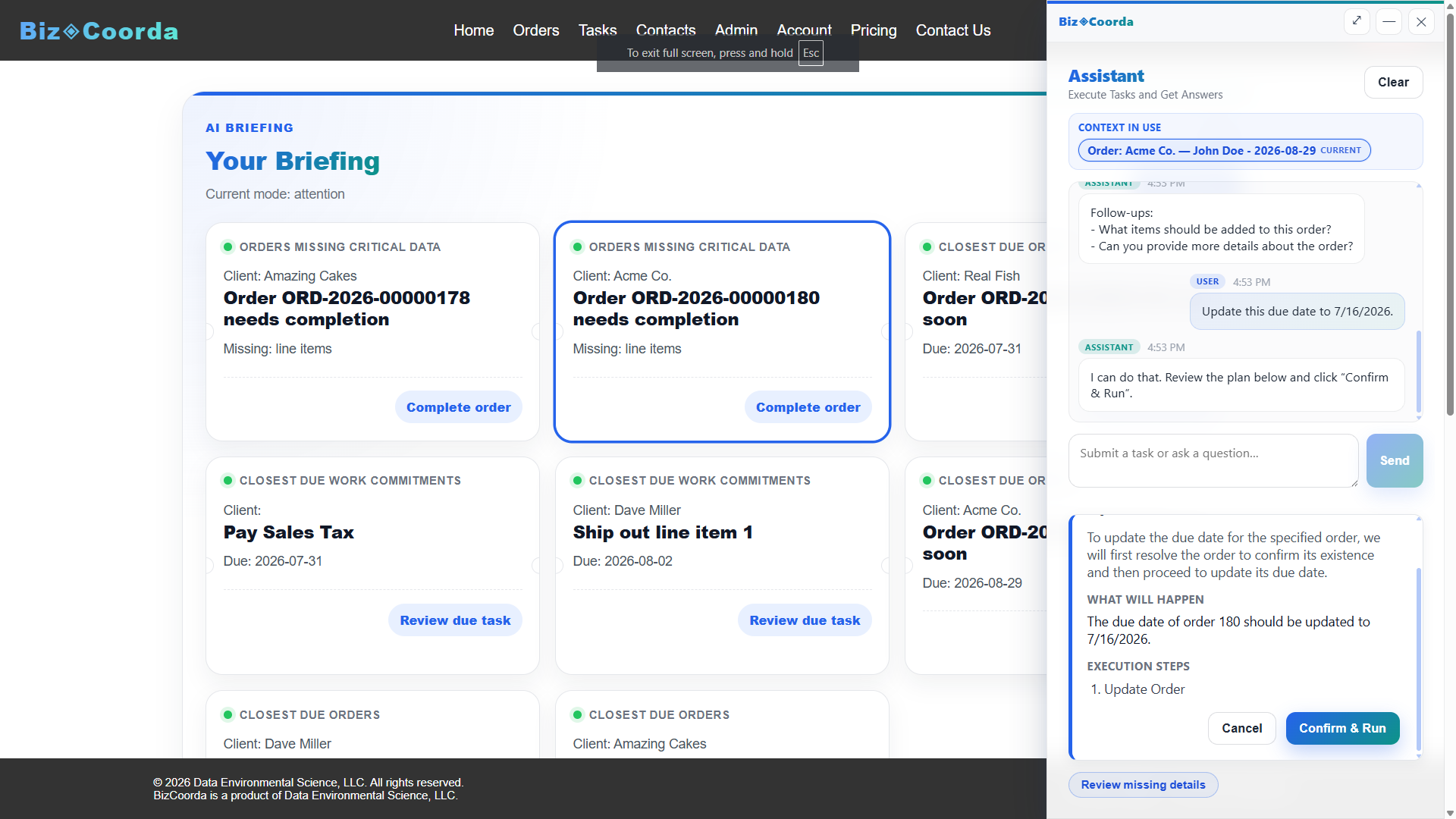
Contact Management Software Beyond the Deal
In a CRM, a contact record is built around the sales pipeline. In BizCoorda, the contact record does the same CRM job, with calls and notes logged on it, and then keeps working after the deal closes, with the customer's orders, tasks, and follow-ups connected to it. And because the AI Business Assistant works directly with those records, keeping them current takes a sentence instead of a form.
Frequently Asked Questions
What is the difference between a CRM and business operations software?
A CRM tracks contacts, deals, and communication up to the sale. Business operations software connects that same customer to the orders, tasks, payments, and follow-ups that happen after the sale, so the sale and the work that follows stay in one connected record.
Do I need both a CRM and business operations software?
Usually not. A business operations platform like BizCoorda includes the CRM essentials, such as contacts, leads, notes, and call history, along with orders, tasks, payments, and follow-ups. A separate CRM mainly makes sense for large sales teams with long sales cycles that need pipeline forecasting.
Can business operations software replace a CRM for a small business?
For most small businesses, yes. BizCoorda covers the customer records a CRM provides and keeps going after the sale, so even if contacts are all you need today, orders, tasks, and follow-ups are ready when the work starts, without paying for a second system.
What is a business operations platform?
A business operations platform connects customers, orders, tasks, and follow-ups in one system, instead of stopping at the sales pipeline like a CRM does. BizCoorda adds an AI Business Assistant that creates and updates those records from plain-language requests.
Cover What Happens After the Sale
BizCoorda gives you the CRM essentials and everything a CRM leaves out, in one place.
Watch the Full BizCoorda Demo
See how BizCoorda connects AI assistance with contacts, orders, tasks, and the rest of daily business operations.
This full demo combines all of our individual demonstrations into a single walkthrough, showing how Operational AI helps businesses coordinate and complete real work. You'll see BizCoorda create contacts and orders through natural language, manage tasks and follow-ups, adapt to custom workflows, provide daily AI briefings and Business Notifications, and give administrators complete Operational Control over AI actions.