Task Management
Task Management Software Connected to Real Business Work
Turn one sentence into a task that's already connected to the work it belongs to. With BizCoorda's AI task management, a task can stand on its own, belong to a customer, or belong to an order, so you always know why it matters and what it's holding up:
“Create a task to renew our business license by the end of the month.”
“Create a task to call Jane at Acme Pizza about her quote on Thursday.”
“Create a task for the Acme Pizza order: ship the pizza slicers by Friday.”
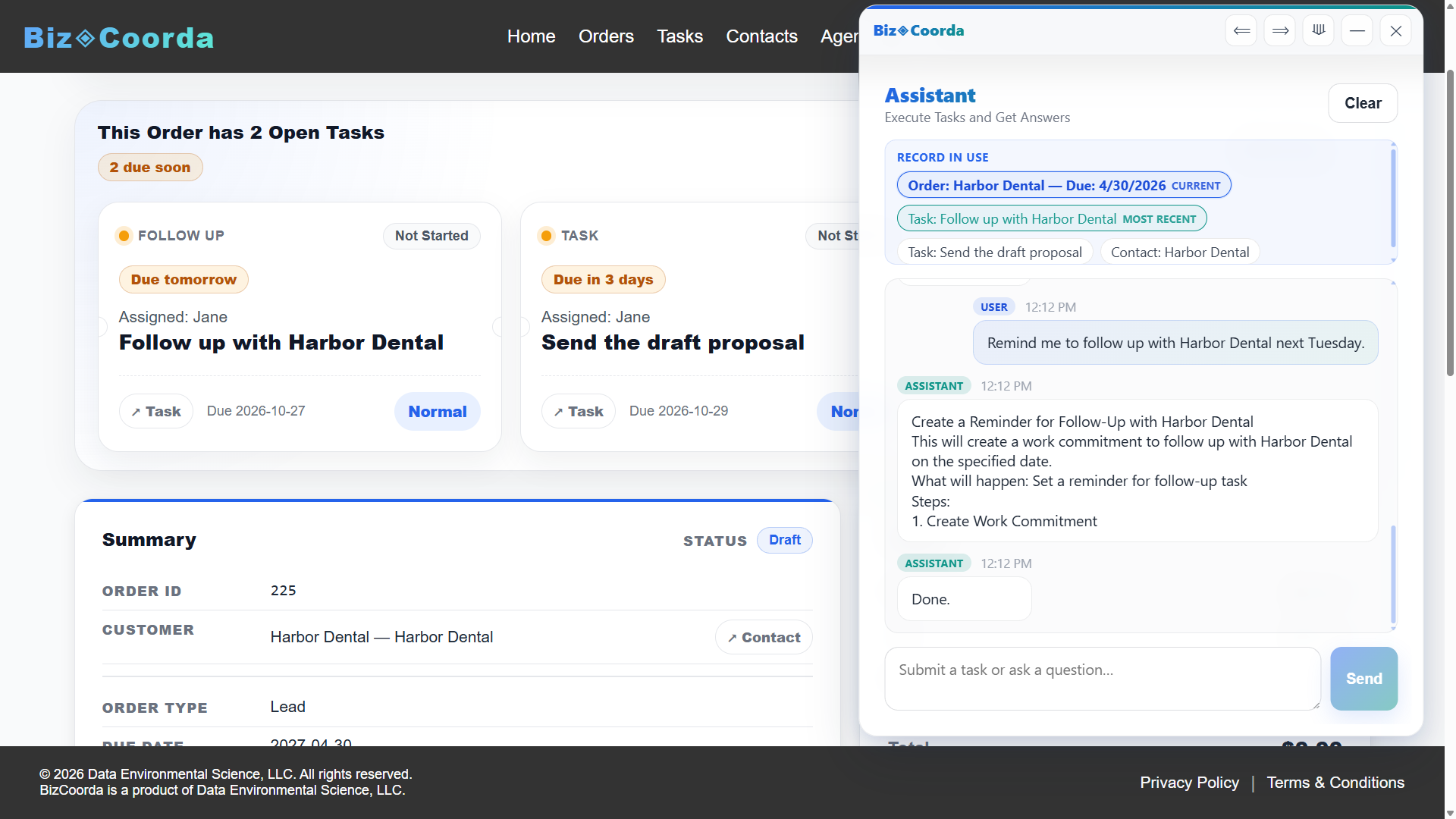
Each one lands where it belongs: the license renewal on your task board, Jane's callback on Acme Pizza's timeline, and the shipping task on the order, flagged if it runs late.
See BizCoorda in Action
See how a plain-language request becomes tasks connected to the order and customer they belong to.
This demo shows how an AI Order Management system can streamline the process of creating and tracking orders, ensuring that every step of the workflow is captured and accessible.
A To-Do List Doesn't Know Why a Task Matters
Most task lists are good at one thing: listing tasks.
But in a business, many tasks don't stand alone. "Order materials" belongs to a specific job. "Call back about the quote" belongs to a specific customer. "Schedule the inspection" may be the one thing holding up an order.
When tasks are separated from that context, it's hard to tell which ones are urgent, which are blocking other work, and which can wait.
Business Task Management Tied to Customers and Orders
In BizCoorda, every task can be connected to exactly as much as it needs, and no more.
Tasks on Their Own
Not everything belongs to a customer. Renewing a license, servicing the delivery van, or updating your price list can be standalone tasks with an owner, a due date, and a priority, tracked alongside everything else.
Tasks for a Contact
A callback, a check-in, or a quote to send can be tied to the contact it's for. The task shows who it's about, and creating it is logged on that customer's timeline.
Tasks for an Order
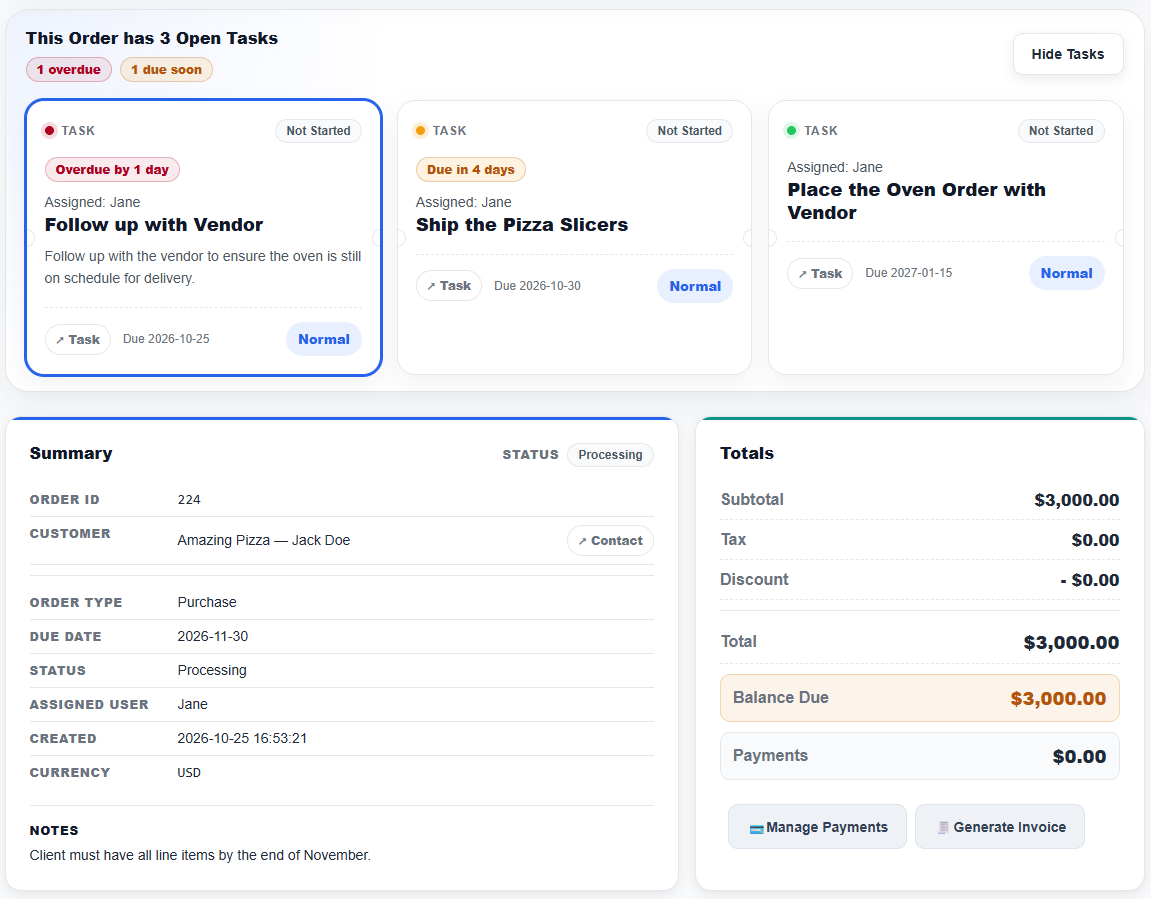
The work behind a job can be tied to the order, or even a specific line item on it. Open the order and you'll see how many tasks are still open, with the ones overdue or due soon flagged.
AI Task Management in Plain Language
Creating a task only takes a minute. But when the day is full of customer calls and jobs in progress, writing everything down and keeping it up to date is easy to put off.
AI task management makes that easier. Instead of opening a form for each change, you can tell the AI Business Assistant what happened:
“Move the Site Inspection task to next Tuesday and make it high priority.”
“The slicers shipped. Mark that task complete.”
The assistant updates the task for you and keeps it connected to whatever it belongs to. You can still manage tasks manually. AI is simply another, often faster, way to keep your task list current.
Task Tracking Software From Start to Finish
Task tracking software should make it easy to see who's doing what, when it's due, and where it stands, without asking around.
Ownership and Due Dates
Assign tasks to people on your team and set due dates or specific due times.
Priorities, Types, and Statuses
Set priorities and task types, and track status using statuses configured to match how your business works.
A Board View of the Work
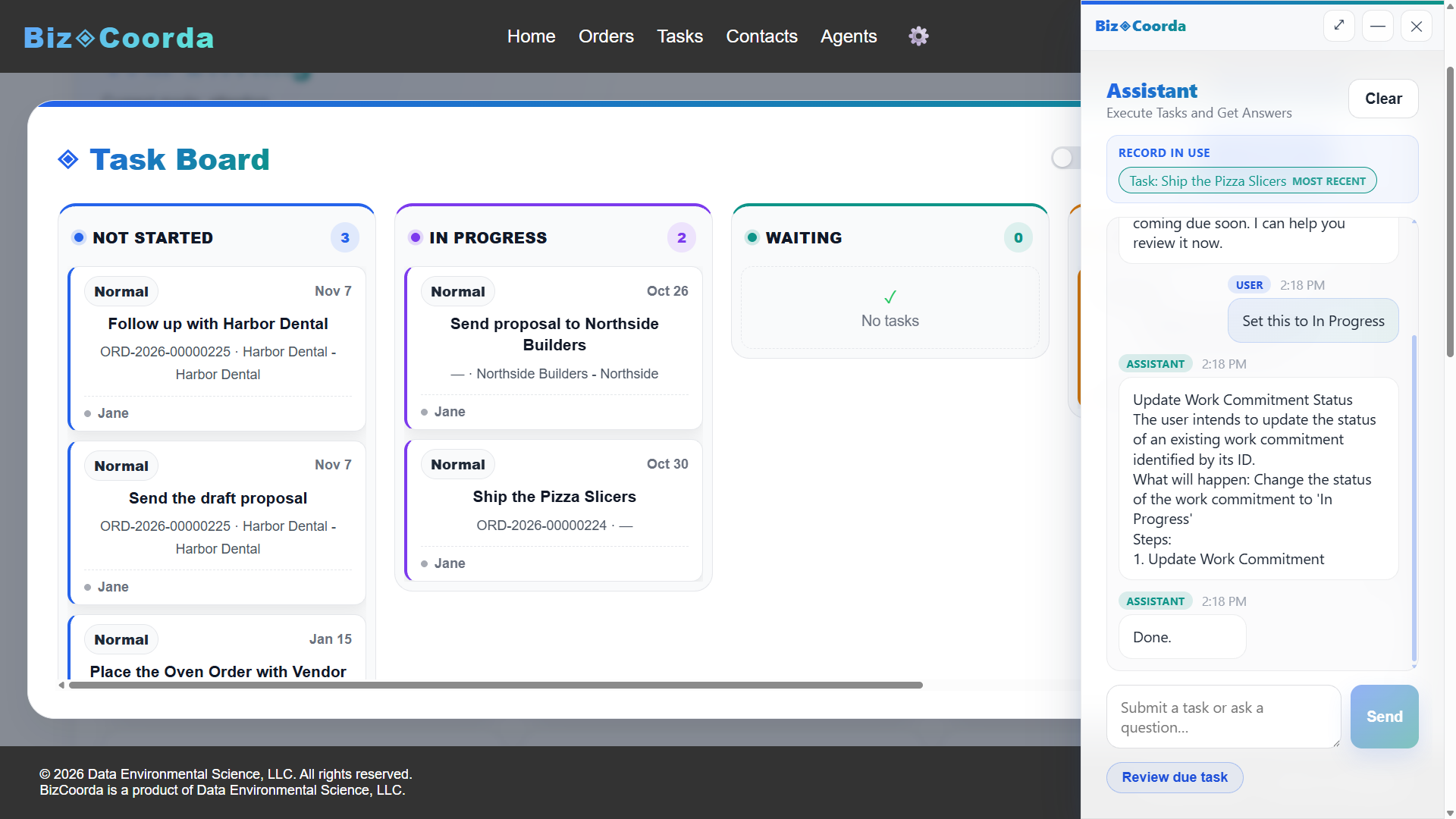
The task board groups tasks by status, so you can see what's open, what's in progress, and what's done at a glance. Tasks coming due also show up in your dashboard briefing.
Time and Attachments
Record estimated and actual minutes, and attach files such as photos, drawings, or documents directly to the task.
Built for Businesses Juggling Many Moving Tasks
Task management matters most when work is spread across several customers, orders, and people at the same time.
Contractors, consultants, professional service firms, custom manufacturers, service companies, and growing small businesses all manage work that changes from one job to the next. Keeping tasks connected to those jobs makes it easier to stay on top of what needs to happen next.
Frequently Asked Questions About Task Management Software
Does every task have to be linked to a customer or order?
No. In BizCoorda, a task can stand on its own, be linked to a contact, or be linked to an order or a specific line item on that order. Internal work like renewing a license can be a standalone task, while a callback can belong to the customer it is for and the work behind a job can belong to its order.
How is business task management software different from a to-do list?
A to-do list records what needs to be done. Business task management software also records who owns the work, when it is due, how important it is, and what it belongs to. In BizCoorda, tasks connected to an order show up on that order, so you can see what is still open and what is overdue without searching.
How does AI task management work?
With BizCoorda, you describe what needs to happen in plain language, such as creating a task for an order, moving a due date, or marking a task complete. The AI Business Assistant performs the action in your business records and keeps the task connected to the right customer or order.
How can I see which tasks are holding up an order?
Open the order in BizCoorda. The order page shows how many tasks are still open and flags the ones that are overdue or due soon, so you can see at a glance what work stands between the order and completion.
Keep Every Task Connected to the Work
BizCoorda brings task management, customers, orders, and an AI assistant together so your team always knows what needs to be done and why.
Watch the Full BizCoorda Demo
See how BizCoorda connects AI assistance with tasks, orders, contacts, and the rest of daily business operations.
This full demo combines all of our individual demonstrations into a single walkthrough, showing how Operational AI helps businesses coordinate and complete real work. You'll see BizCoorda create contacts and orders through natural language, manage tasks and follow-ups, adapt to custom workflows, provide daily AI briefings and Business Notifications, and give administrators complete Operational Control over AI actions.